

What to look for in a co-parenting app
In this guide
- Start with your situation
- Messages that can't be changed
- Help keeping messages businesslike
- One schedule for both homes
- Shared costs, with receipts
- A private record of your own
- Documents in one place
- Help seeing the bigger picture
- Reports you can share
- Privacy you can trust
- Questions to ask before you sign up
- Try Clarity Witness
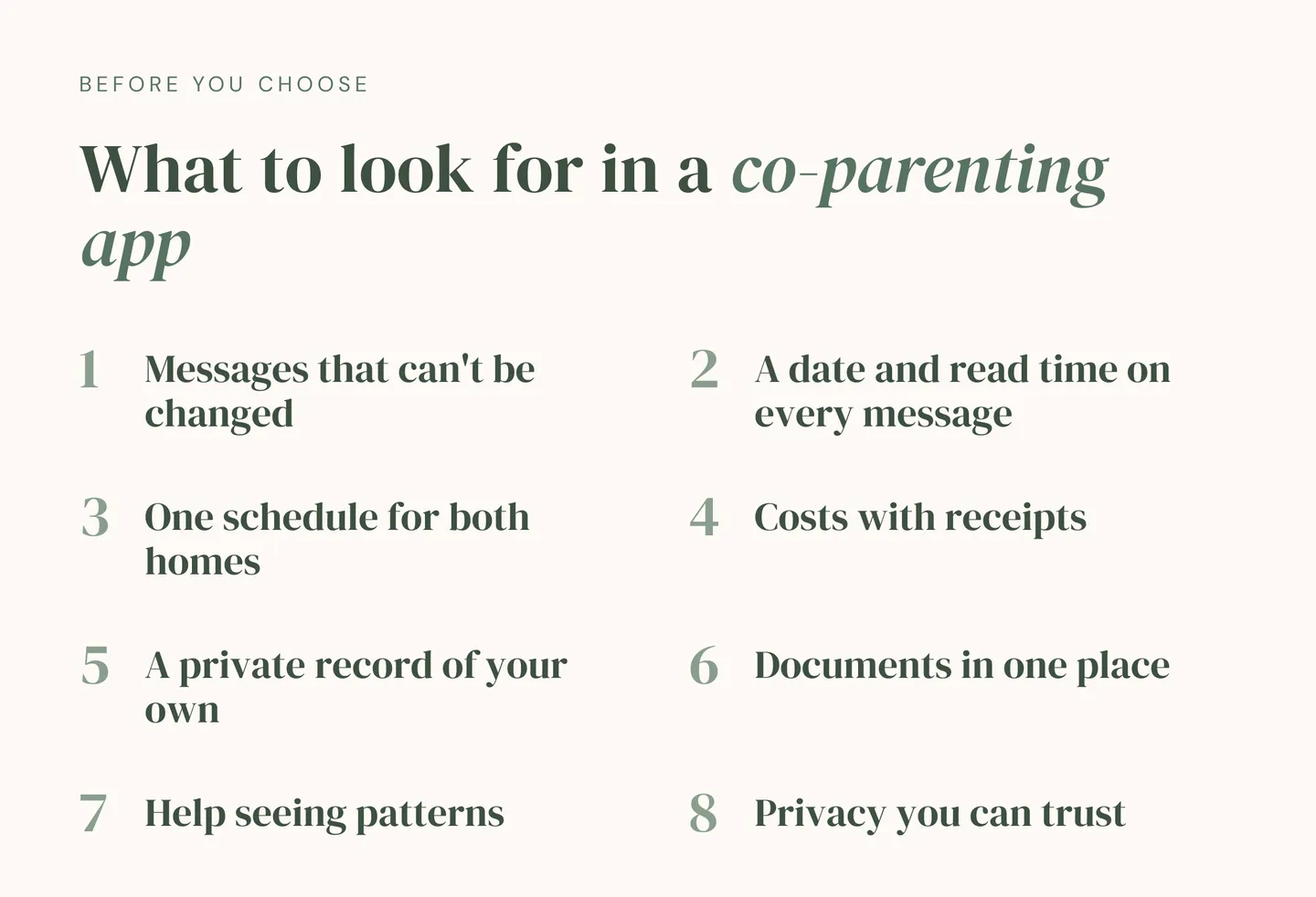
If you're co-parenting, someone has probably told you to "use an app". There are plenty to choose from, and they're built for different things. Some are mostly a shared calendar. Others are built for parents who need a clear, dated record of what was said and done.
This guide walks through what to look for, so you can pick one that fits your family - whether you mostly get along or every message is hard work.
Start with your situation
What you need depends on how things are between the two homes.
- You mostly get along: a shared schedule, a place to split costs and one spot for school and medical details may be all you need. The aim is to keep small things small.
- Things are tense, or high-conflict: you'll want messages that can't be changed, a record of what happens, and a way to see what keeps repeating.
- You're going through a divorce or writing a parenting plan: ask your attorney or mediator what they'd like you to use. Some parenting plans and court orders name the app both parents should use.
Messages that can't be changed
This matters most when things are tense. If there's ever a question about what was said, you want the conversation exactly as it happened. Screenshots from a regular text thread are easy to question and hard to put in order.
Look for:
- Messages that can't be edited or deleted after they're sent
- A date and time on every message
- Read receipts, so you know when a message was seen
- A way to export the whole conversation with its dates
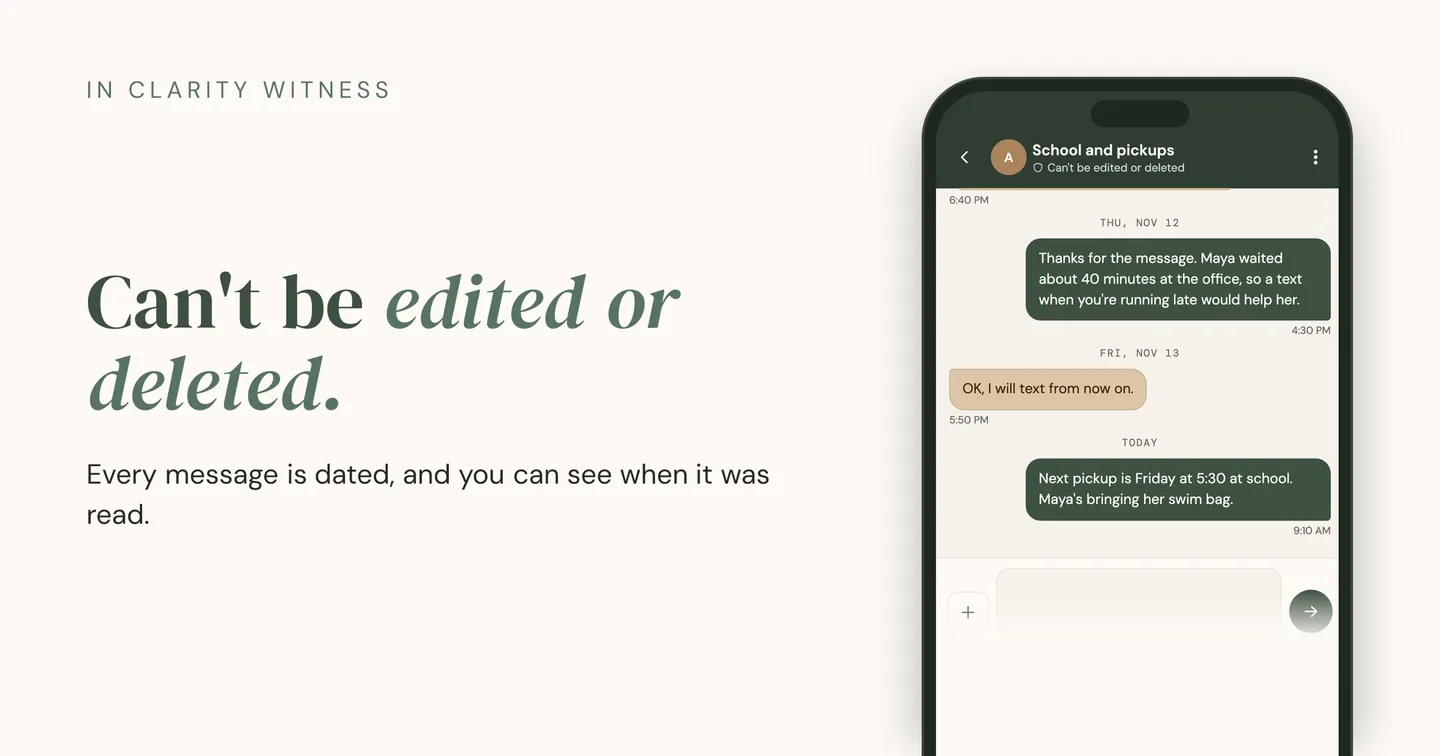
In Clarity Witness: every message in the co-parenting chat is timestamped, can't be edited or deleted once it's sent, and shows who read it and when. If a parent deletes their account, the shared conversation stays. Chat comes with the Chat and Insight plans.
Help keeping messages businesslike
When you're upset, it's easy to send something you regret. Some apps offer a check before you send.
Look for an optional tone check that points out heated wording before a message goes, and leaves the choice with you.
In Clarity Witness: tone check runs before you send, whenever you choose to use it. Tone check comes with the Chat plan.
One schedule for both homes
A lot of arguments start with "I thought it was my weekend." A shared schedule takes the guesswork out.
Look for:
- One calendar both parents can see
- Handover times the other parent can accept, so changes are agreed in writing
- Holidays and school breaks planned ahead
In Clarity Witness: you send handover times for the other parent to accept, and the handover check-in records when each of you arrived. The shared schedule comes with Insight.
Shared costs, with receipts
Look for a place to add a cost, attach the receipt, ask for a share and see what's been settled. Then nobody has to dig through bank statements months later.
In Clarity Witness: shared expenses with receipts, and an expenses report you can download. Expenses come with Insight.
A private record of your own
Shared tools are only half of it. You also need somewhere private to note what happened: a late handover, a missed call, how the kids seemed when they came home. Write it the same day, while it's fresh.
Look for entries that are dated when you write them, a way to tag the people involved, and a record that stays private until you choose to share it.
In Clarity Witness: the quick log on your Today page. Entries are dated for you, linked to the people you tag, and private unless you share them. Logging comes with the Free plan.
Documents in one place
Parenting plans, school letters and medical notes end up scattered across email, photos and folders. Look for one place to keep them, where you can find what you need quickly.
In Clarity Witness: the Vault keeps your documents together, and Witness can summarize them and answer your questions about them. Documents come with Insight.
Help seeing the bigger picture
After a few months, most records are too long to reread. Writing things down is the easy part. Seeing what keeps happening is harder.
Look for a tool that reads across your messages, entries and documents and shows you patterns with dates, without labeling anyone or telling you what to do.
In Clarity Witness: Witness reads every message, entry, document and person in your record, links them together and shows you the patterns you'd miss, each with the dates behind it. It doesn't diagnose anyone or give advice. Witness comes with Insight.
Reports you can share
If you work with an attorney, mediator or guardian ad litem, you'll want to hand them something clear instead of a phone full of screenshots.
Look for dated reports where you choose exactly what goes in.
In Clarity Witness: your Personal record, Record at a Glance, Chat and Expenses reports. Nothing is shared unless you choose to include it. Reports come with Insight. Sharing your record directly with your attorney or guardian ad litem is coming soon with Pro.
Privacy you can trust
You'll be putting some of the hardest parts of your life into this app, so ask how it's protected.
Look for:
- Encryption for messages, entries and documents
- Regular backups, also encrypted
- A quick way to hide the app if someone walks up
- Clear rules about who can see what
In Clarity Witness: messages, entries and documents are encrypted, and encrypted backups run every night. One tap at the top of any screen hides it behind a neutral page. Your private chats with your own professionals never go into Witness.
Questions to ask before you sign up
- Does the other parent need to join? Your own record in Clarity Witness works without them. Chat needs both of you on a plan that includes it.
- Who pays, and how much? Prices change, so check the plans page before you decide.
- Does it work on both your phone and your computer?
- What does your parenting plan say? If it names an app, use that one. If you're writing a plan, you can suggest an app you'll both use.
- What does it promise? Be wary of any app that promises a judge will accept its records. No app can promise that. What helps is a record that's clear, dated and consistent.
This guide is general information, not legal advice. Talk to an attorney about your own situation.