

Switching co-parenting apps: what to check before you move
In this guide
Maybe the app you use now feels like a filing cabinet: everything's in there, but nothing helps you make sense of it. Maybe it's missing something you need, or it's become one more thing to manage. Whatever the reason, switching co-parenting apps takes a little planning, because what's in your current app is part of your record.
This guide covers what to check before you move, how to keep your history, what to do if your order names an app, and how to raise it with the other parent.
1. Check your order first
Some parenting plans and court orders name the app you both have to use for messages. If yours does, keep using it for messages. Changing it is something to agree properly, not something to do on your own.
That doesn't stop you keeping your own record somewhere else. Your own notes, documents and the patterns you're tracking are yours to keep wherever works for you.
In Clarity Witness: you can keep your log, your documents and your people in Clarity Witness while messages stay where your order says. Import your message history, and Witness reads it alongside everything else.
2. Keep your history
Before you change anything, save a copy of what's in your current app. Look for an export or download option in its settings, and keep the file somewhere you control. Do it before you stop using the app, not after.
It's worth saving:
- Your message history, with the dates and times
- Any shared calendar or schedule
- Expense records and receipts
- Documents you've uploaded
In Clarity Witness: import your message history and match it to the other parent. Witness then reads it with your own entries, so the patterns and dates include everything, not just what happened since you joined.
3. Decide what you need the app to do
It's easy to switch for one feature and lose another. Before you move, write down what you need:
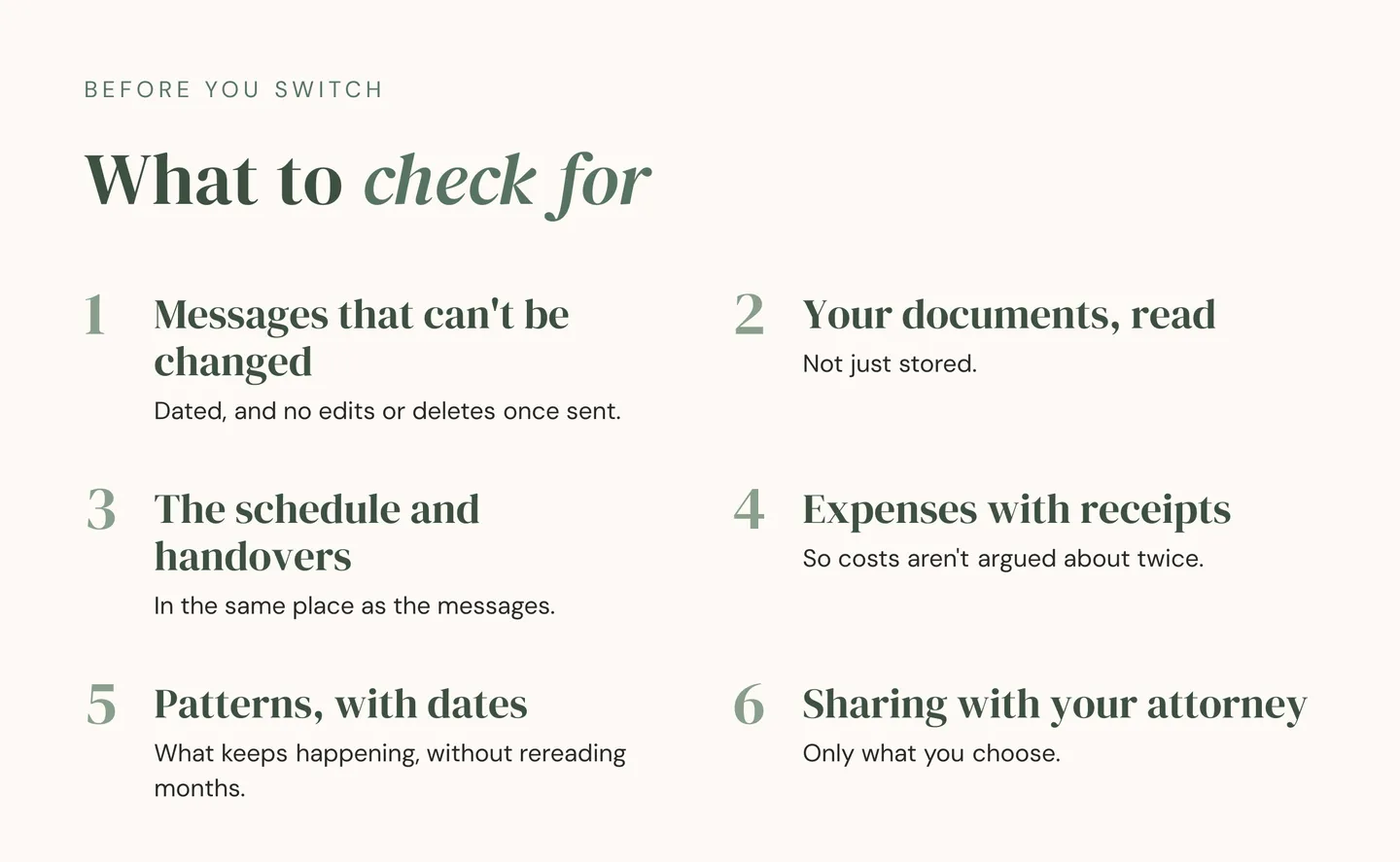
In Clarity Witness: all of these live in one app. Chat messages are dated and can't be edited or deleted. Witness reads your messages, entries, documents and the people involved together, and shows the patterns with the dates behind them. Orders, which pulls the key terms out of your order, and sharing your record with your attorney are coming soon with Pro.
4. Raise it with the other parent
If you share an app for messages, switching works best when you both move. Keep the message short and about the kids, and don't make it about the other parent.
If they say no, you don't have to argue it. Keep using the shared app for messages, and keep your own record in the app that works for you.
5. Run both for a little while
For the first few weeks, keep both apps until you're sure nothing is missing. Check that your imported history looks right, and that any upcoming handovers and costs are in the new app before you stop checking the old one.
Questions parents ask
Will I lose my old messages if I switch? Not if you save a copy first. Export what you can before you stop using the old app, and import your message history into the new one.
What if the other parent won't switch? Keep using the shared app for messages. You can still keep your own record, documents and patterns in Clarity Witness.
Can I switch if my order names an app? Keep using the named app for messages. If your order comes up for review, ask your attorney whether the app can be changed.
Is it worth switching at all? If your current app works for you, maybe not. If it only stores messages and you're left making sense of them yourself, it might be.